Chapters and reference
Module II · Single-sequence circular maps · Section 6 of 12
2.5 Circular labels and overlap handling
On this page
- 1 Prepare this page independently
- 2 Fixed labels: orientation, side and rotation
- 3 Fixed-label parameters and conflicts
- 4 Compare four automatic layouts on identical text
- 5 Wrapping, shrinking, hiding and leaders
- 6 Important automatic-label defaults
- 7 Use your annotations
- 8 Shared labels for consecutive repeats
Compare fixed and automatic labels on the same six source-backed pUC19 annotations. Placement, size, wrapping and device dimensions jointly affect readability; a hidden label is not a missing annotation.
1 Prepare this page independently
Requires optional dplyr. Original names remain in finish_features; display text merely appends actual coordinates. Intervals and strands stay fixed. All layers consume the same finish_labels, with 9 × 8 inch figures.
R · Example code
library(ggchord)
library(dplyr)
finish_dna <- plasmid_example_pUC19
finish_seq <- finish_dna[c("accver", "length")]
finish_features <- head(find_common_features(finish_dna), 6)
finish_circle <- ggchord(finish_seq) + geom_seq() + coord_circular()
finish_labels <- finish_features |>
  mutate(anno = paste0(anno, " [", start, "-", end, " bp]"))
finish_feature_base <- finish_circle + geom_feature(data = finish_labels)
2 Fixed labels: orientation, side and rotation
The feature orientation follows each feature. Each subsequent plot changes only horizontal orientation, inside placement or 30-degree rotation. Return to the common baseline instead of accumulating settings. Default overlap is hide, so crowded text may be omitted.
R · Example code
p_comparefixedfeature <- finish_feature_base +
  geom_feature_label(data = finish_labels, label_orientation = "feature")
view_ggchord(p_comparefixedfeature, width = 9, height = 8, units = "in")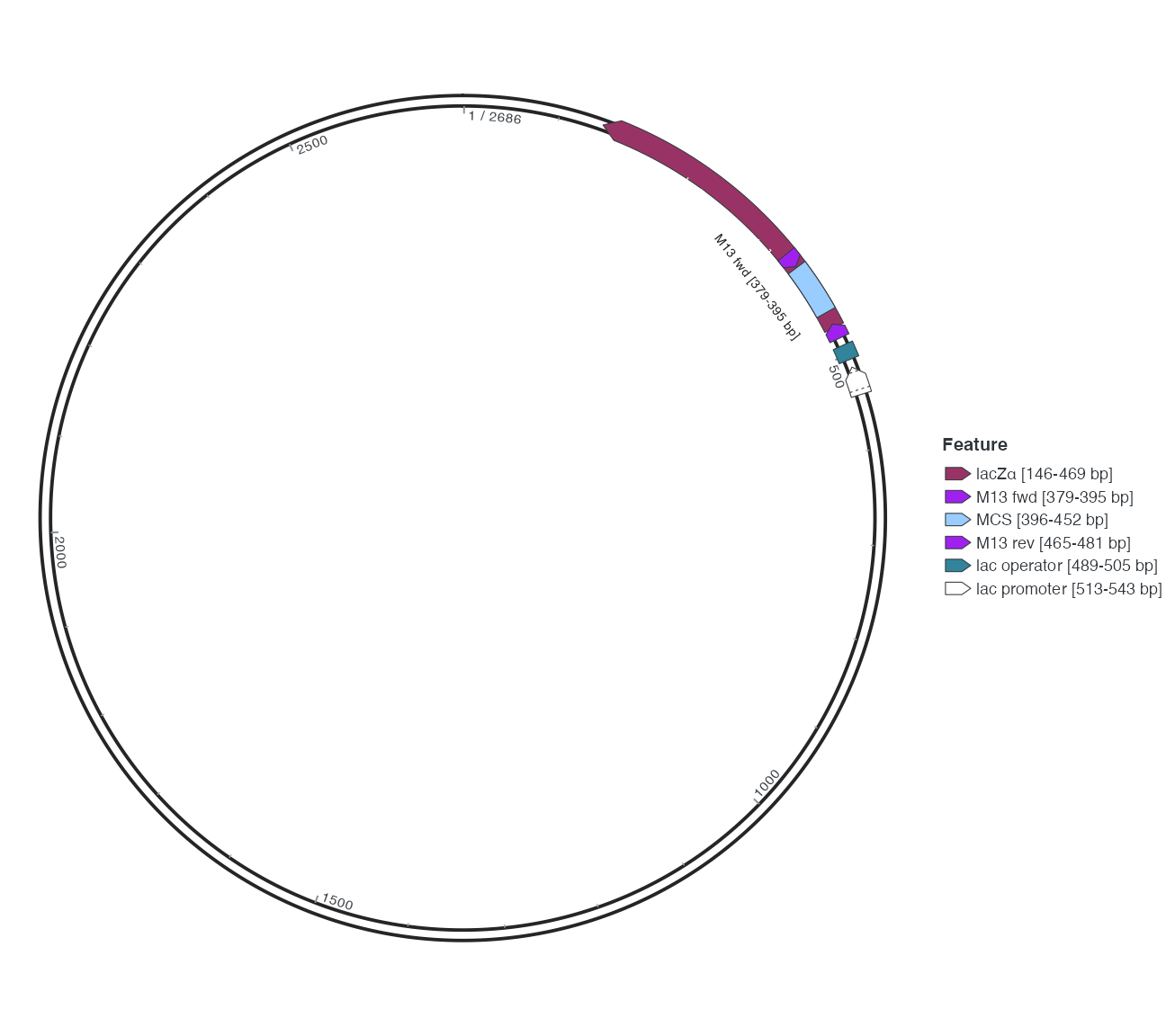
R · Example code
p_comparefixedhorizontal <- finish_feature_base +
  geom_feature_label(data = finish_labels, label_orientation = "horizontal")
view_ggchord(p_comparefixedhorizontal, width = 9, height = 8, units = "in")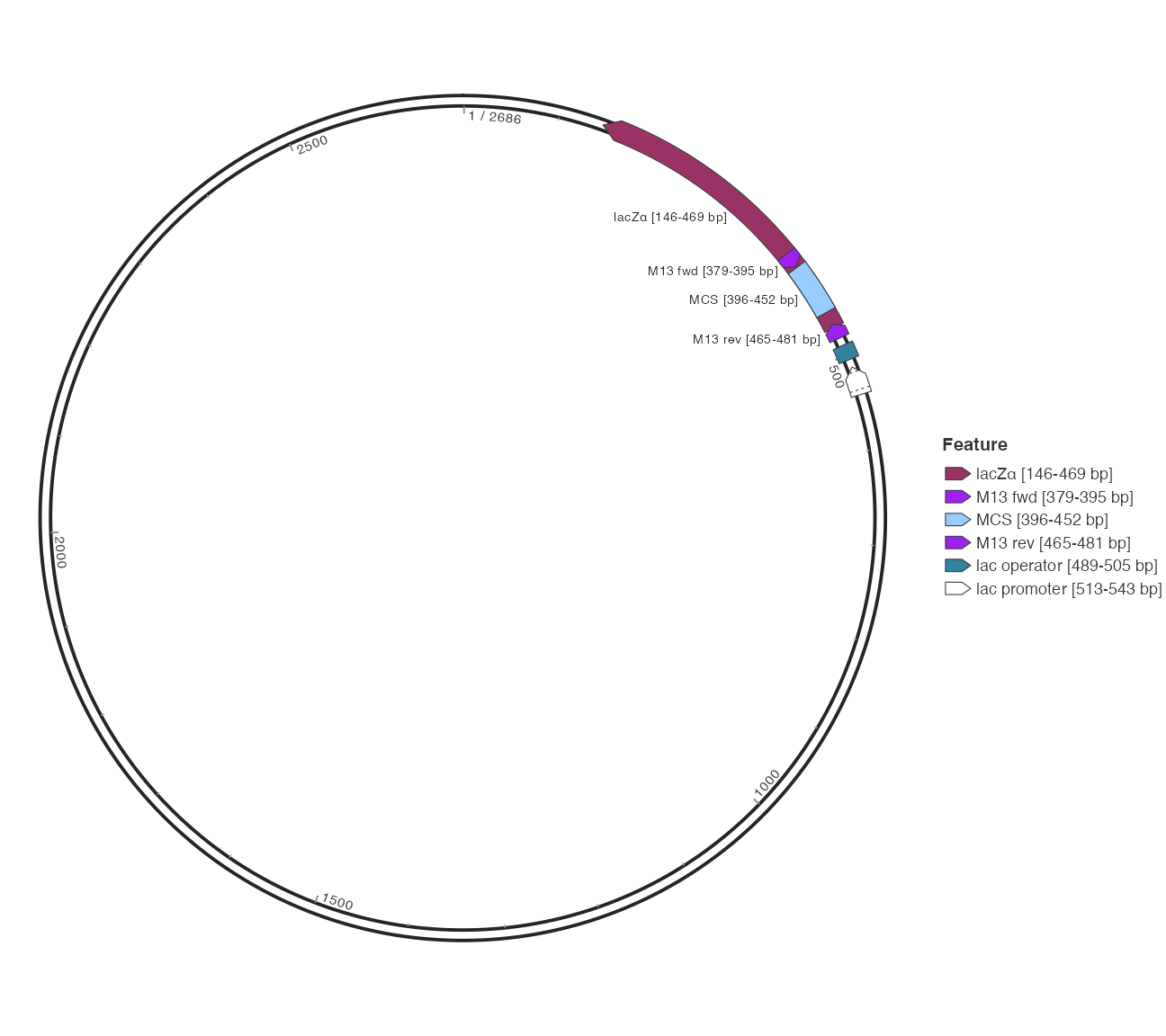
R · Example code
p_comparefixedinside <- finish_feature_base +
  geom_feature_label(data = finish_labels, label_orientation = "feature", label_side = "inside")
view_ggchord(p_comparefixedinside, width = 9, height = 8, units = "in")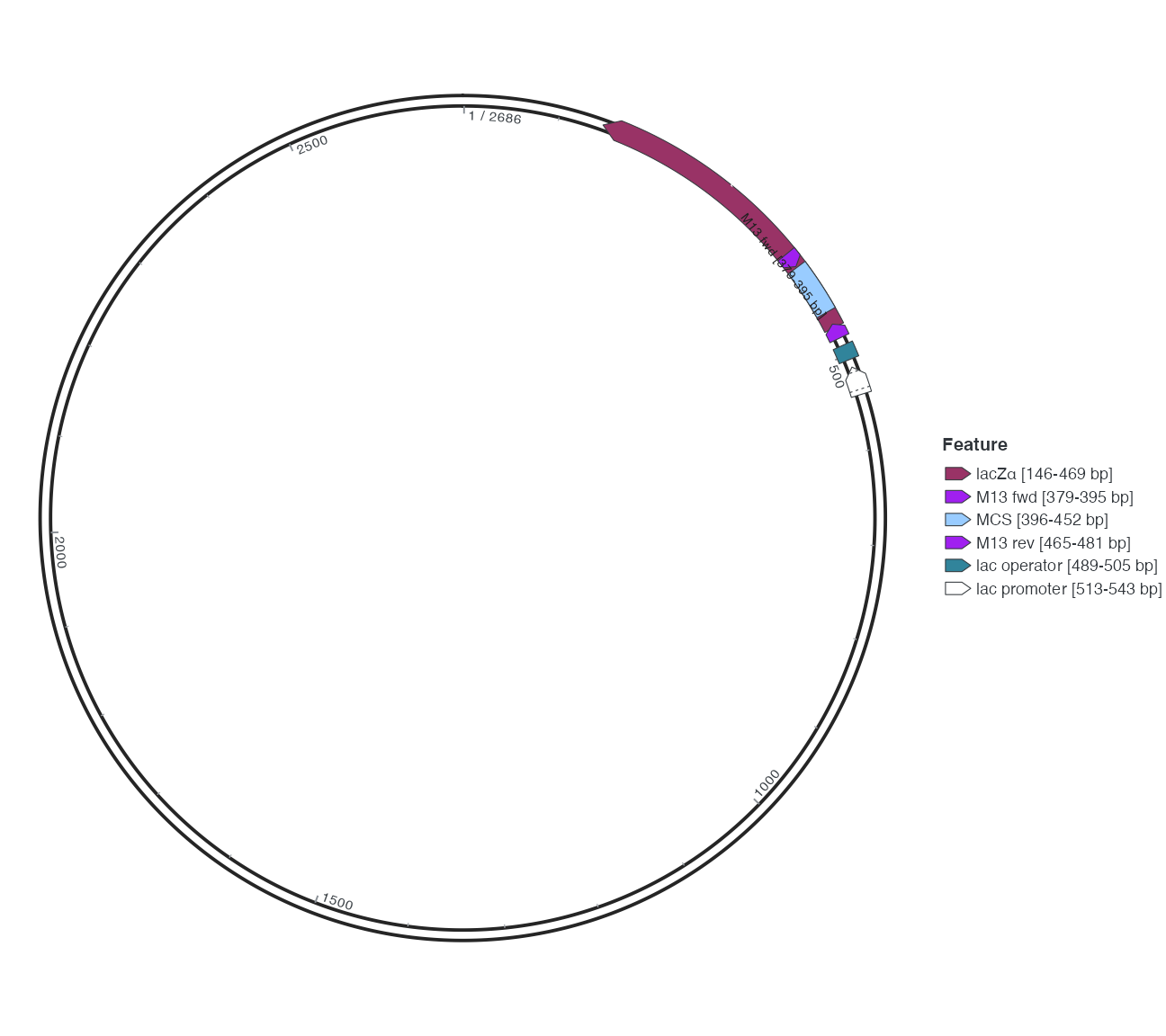
R · Example code
p_comparefixedrotate <- finish_feature_base +
  geom_feature_label(data = finish_labels, label_orientation = "feature", label_rotation = 30)
view_ggchord(p_comparefixedrotate, width = 9, height = 8, units = "in")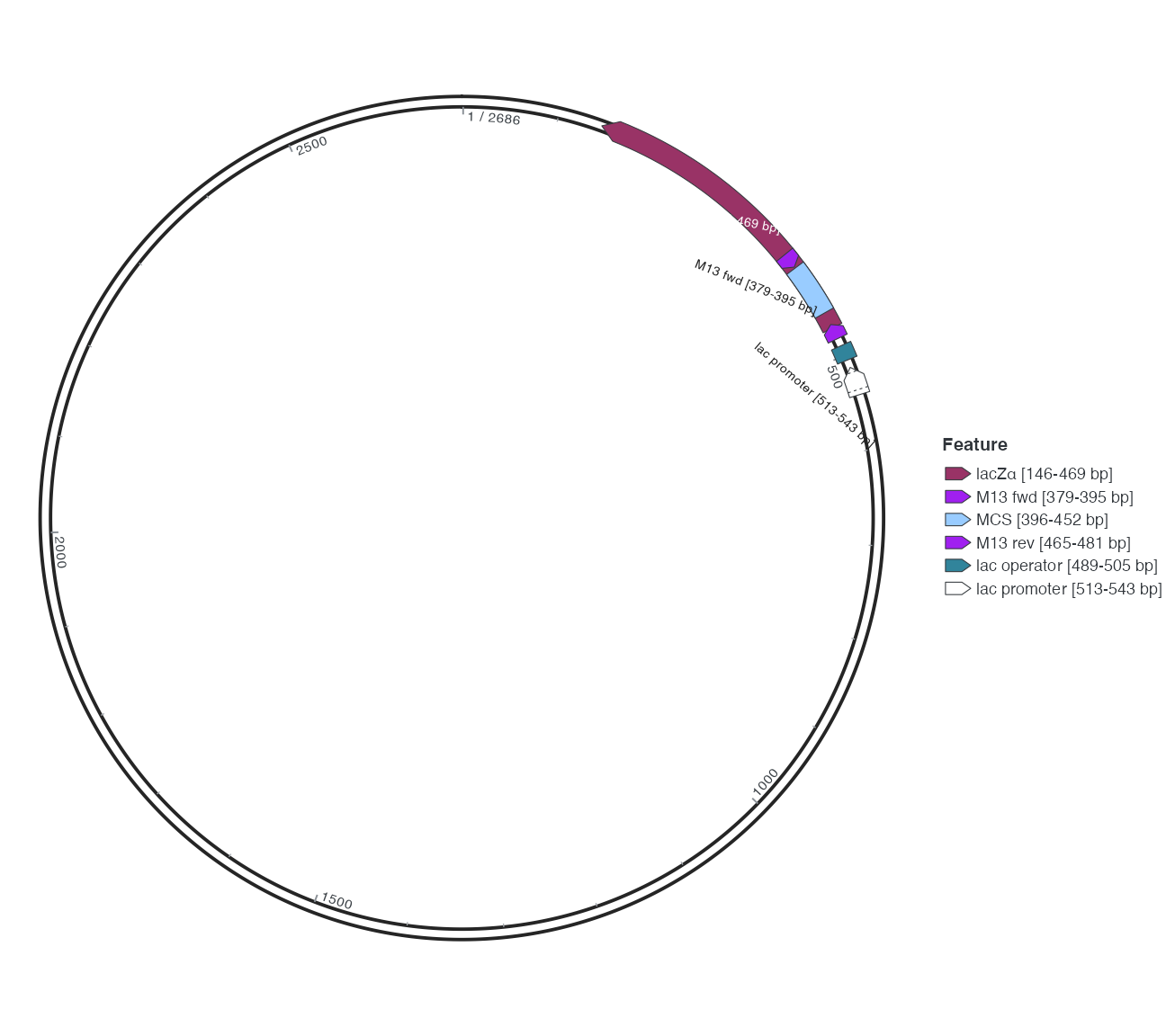
3 Fixed-label parameters and conflicts
| Parameter | Default | Meaning |
|---|---|---|
| label_orientation | feature | feature/horizontal/radial/tangent |
| label_side | outside | outside/inside/auto |
| label_overlap | hide | hide/nudge/allow; allow can overlap |
| label_rotation | NULL | Extra degrees, resolving to 0 |
| label_radial_offset | 0.04 | Local-normal displacement, not bp |
| label_circum_offset | NULL | Resolves to 0 along the circumference |
| label_circum_limit | NULL | Resolves to TRUE for circumferential limits |
| label_wrap | NULL | Optional character wrapping width |
Do not pass fixed placement controls to automatic repel layers. Match the feature Position; prefer unique feature_id values for subsets/reordering and never reuse an ID for a different interval. In linear mode radial/tangent mean vertical/horizontal rather than circular letter placement.
4 Compare four automatic layouts on identical text
Default feature first tries internal, then adjacent/external placement. Radial, auto and callout provide alternative placement strategies. Layout changes presentation, not source annotations. Keep identical text, requested size and dimensions across all four.
R · Example code
p_comparefeaturefit <- finish_feature_base +
  geom_feature_label_repel(data = finish_labels, label_layout = "feature")
view_ggchord(p_comparefeaturefit, width = 9, height = 8, units = "in")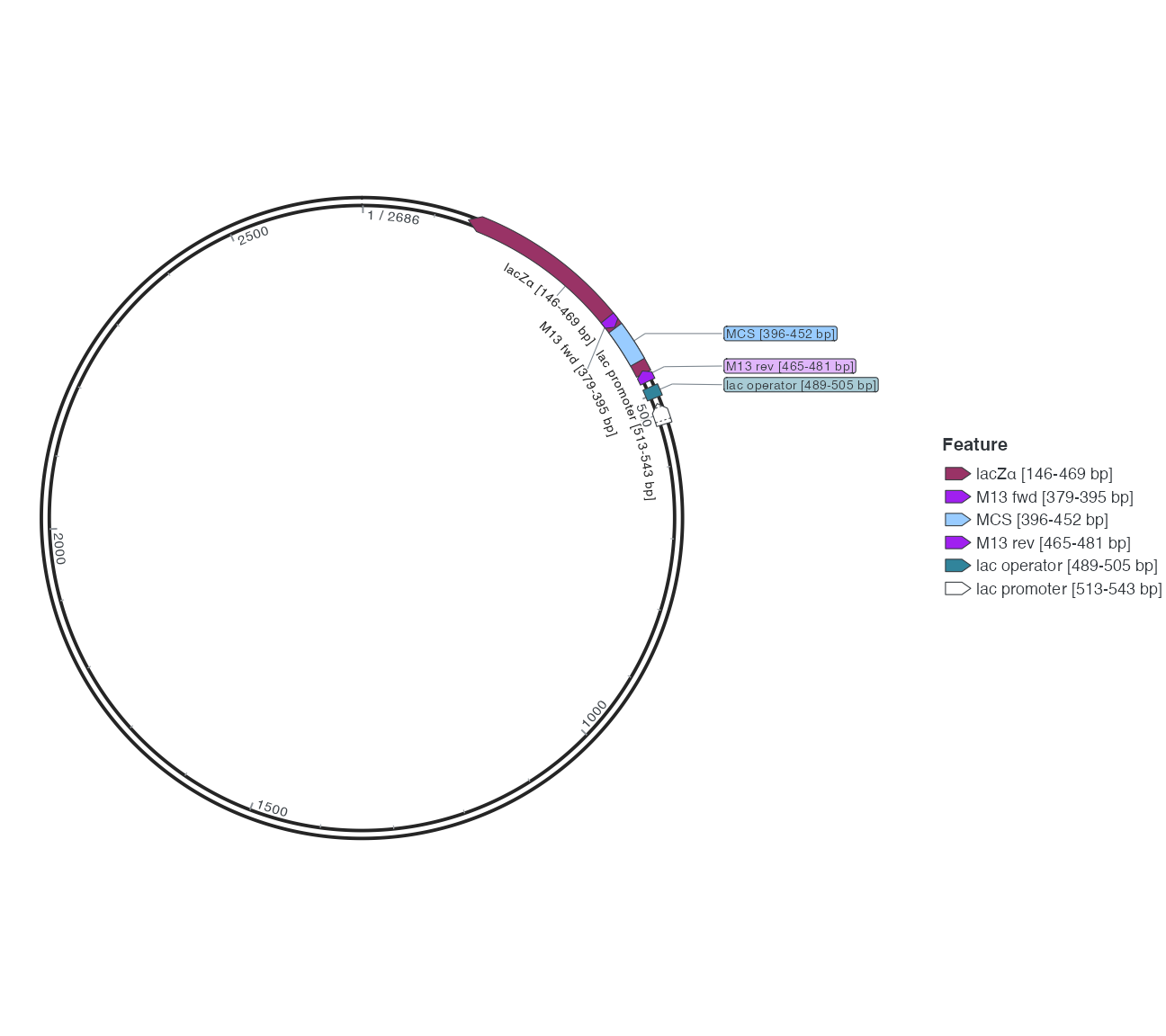
R · Example code
p_compareradialfit <- finish_feature_base +
  geom_feature_label_repel(data = finish_labels, label_layout = "radial")
view_ggchord(p_compareradialfit, width = 9, height = 8, units = "in")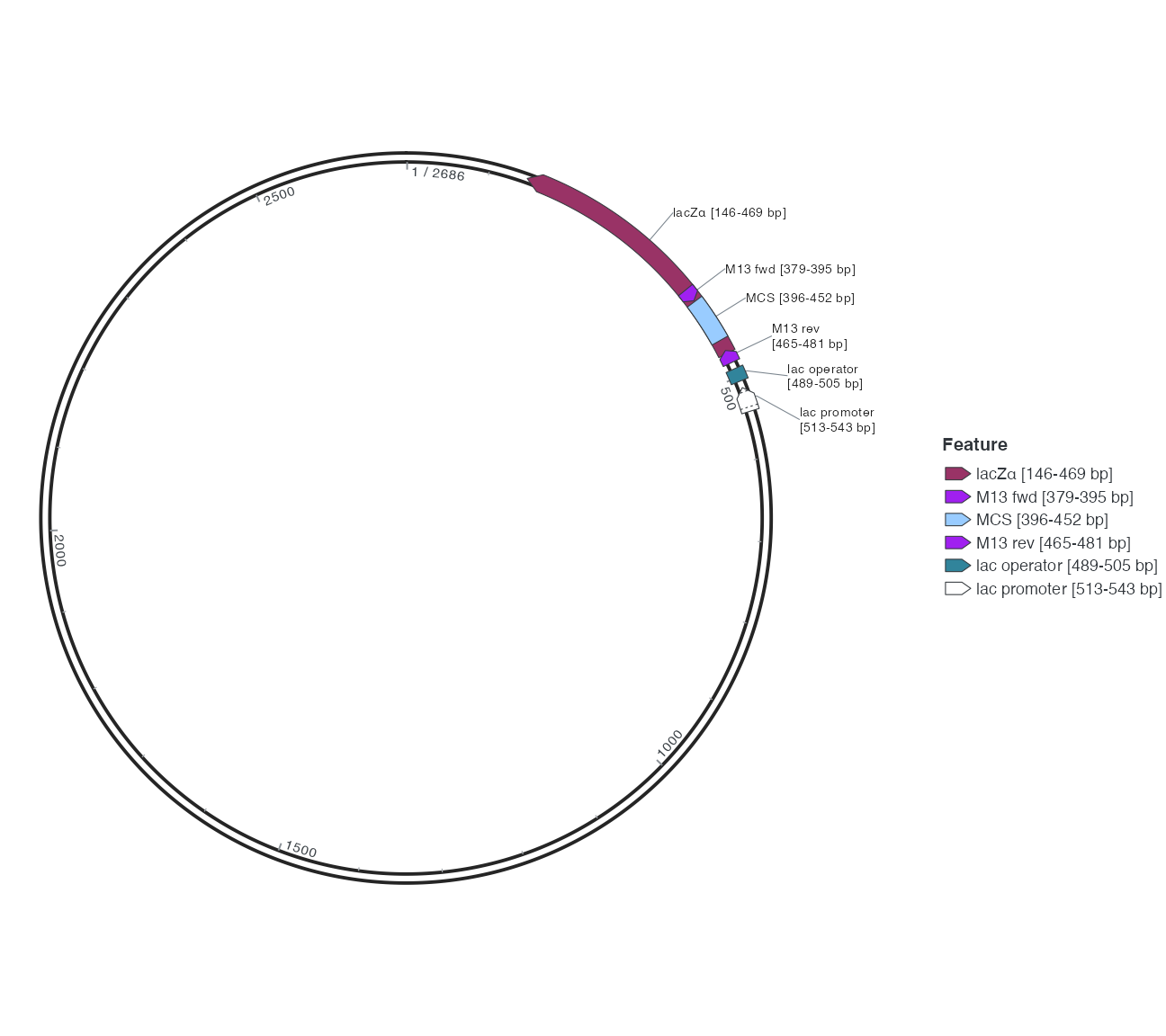
R · Example code
p_compareautofit <- finish_feature_base +
  geom_feature_label_repel(data = finish_labels, label_layout = "auto")
view_ggchord(p_compareautofit, width = 9, height = 8, units = "in")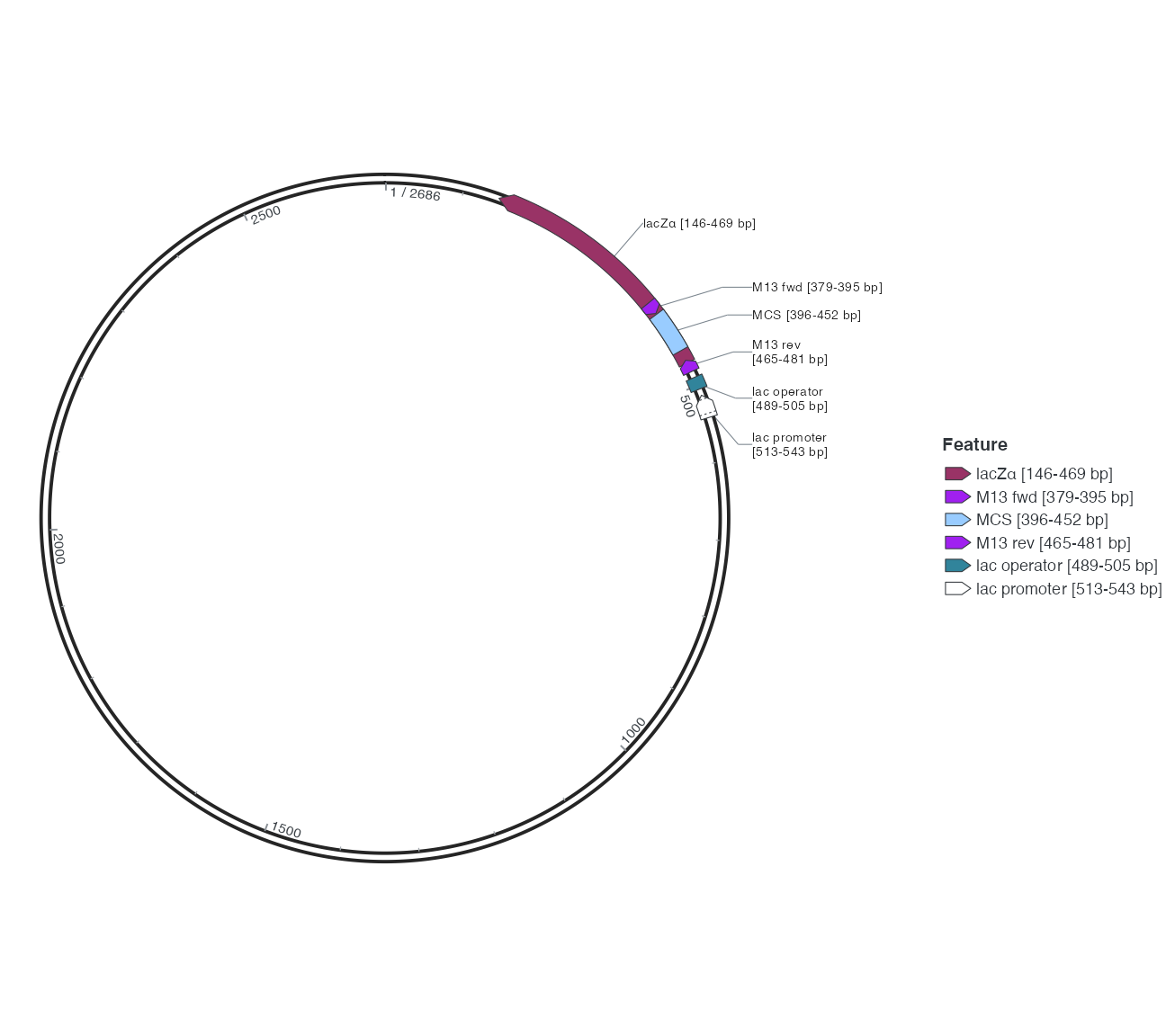
R · Example code
p_comparecalloutfit <- finish_feature_base +
  geom_feature_label_repel(data = finish_labels, label_layout = "callout")
view_ggchord(p_comparecalloutfit, width = 9, height = 8, units = "in")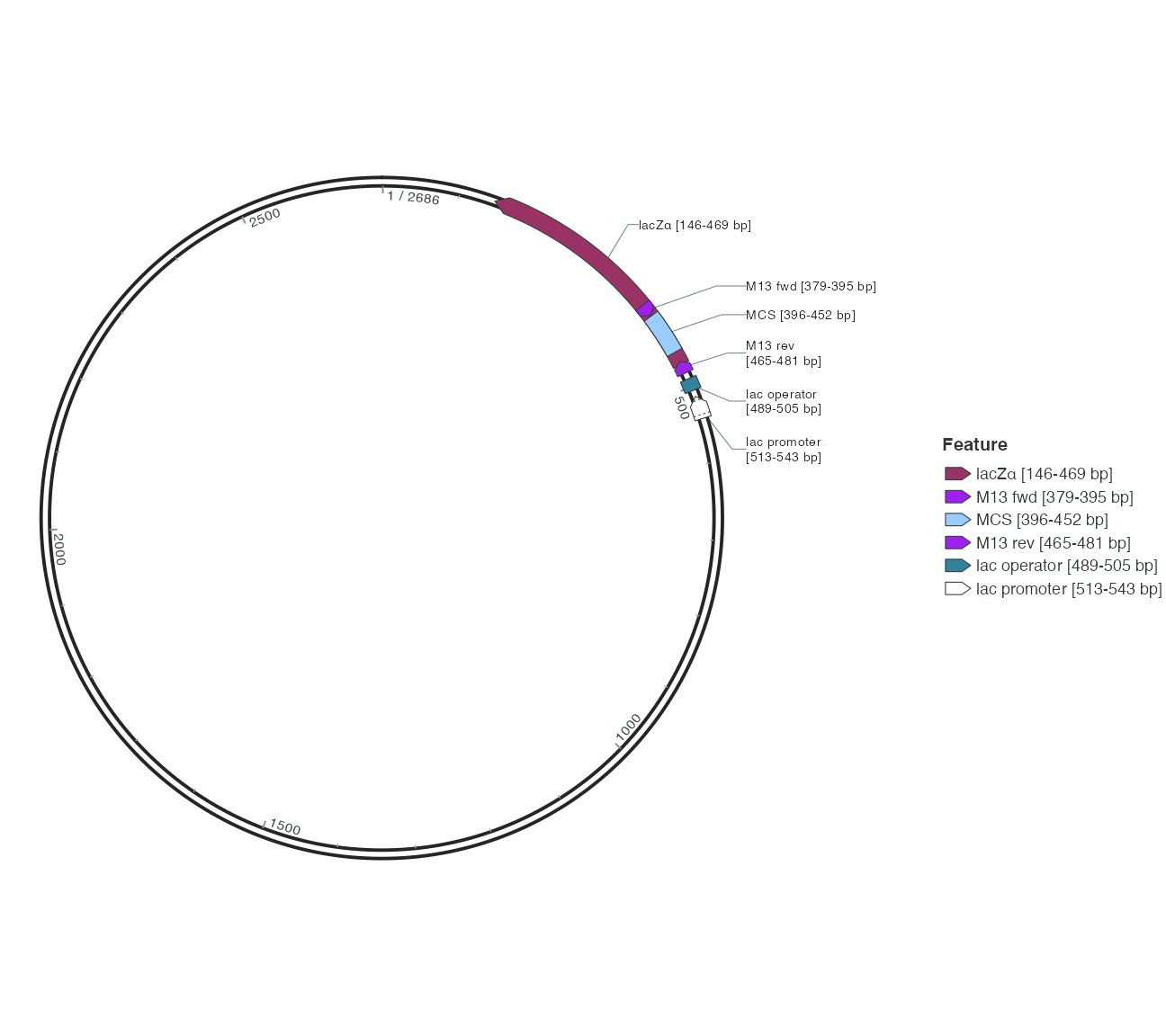
5 Wrapping, shrinking, hiding and leaders
Starting from feature, change only label_fit to shrink; then return to baseline and set only label_wrap=14. Shrink explicitly permits smaller text down to the default minimum 1.5. It does not shrink indefinitely to guarantee all names. Character wrapping width is not a fixed physical width.
R · Example code
p_compareshrinkfit <- finish_feature_base +
  geom_feature_label_repel(data = finish_labels, label_layout = "feature", label_fit = "shrink")
view_ggchord(p_compareshrinkfit, width = 9, height = 8, units = "in")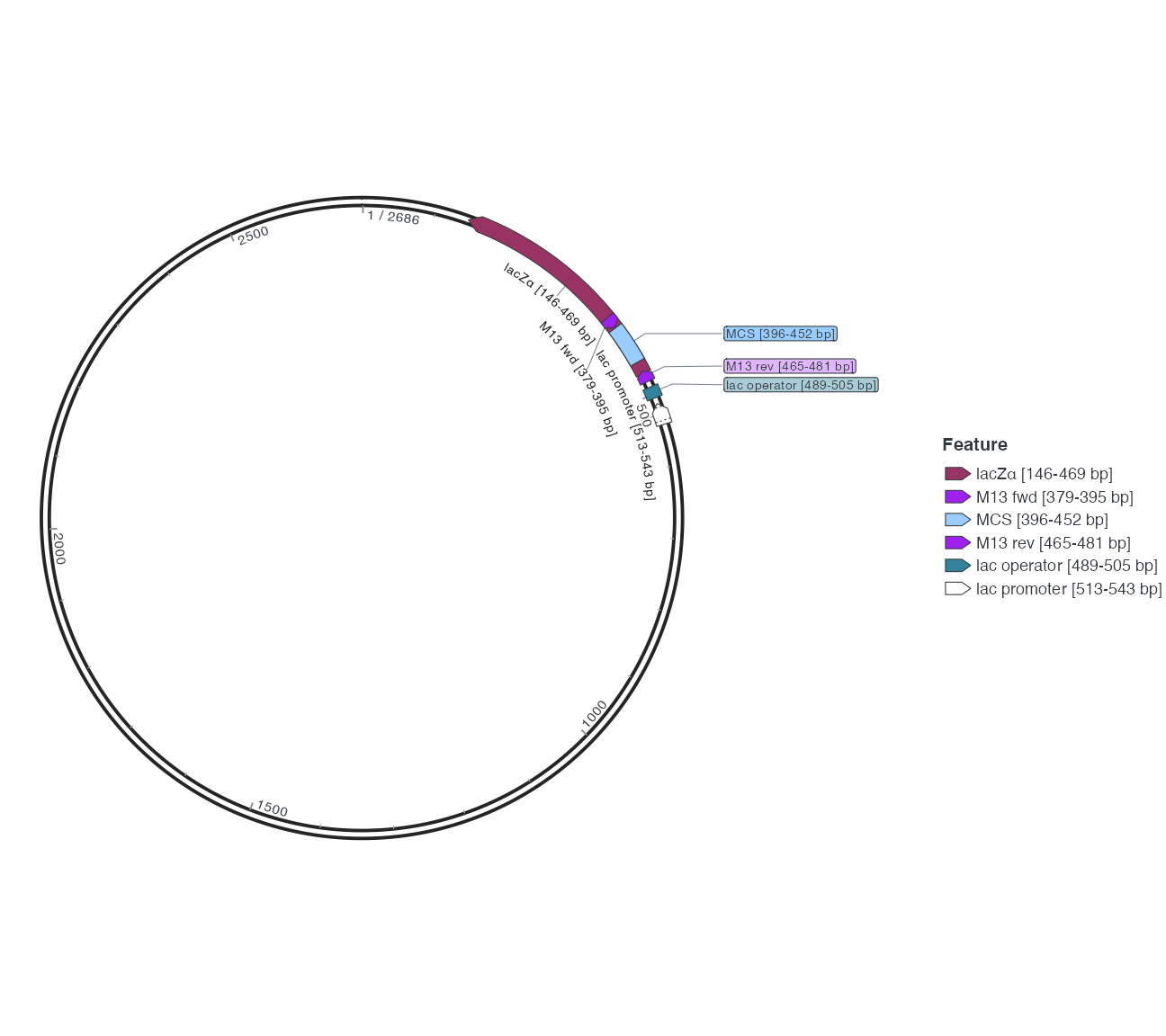
R · Example code
p_comparewrapfit <- finish_feature_base +
  geom_feature_label_repel(data = finish_labels, label_layout = "feature", label_wrap = 14)
view_ggchord(p_comparewrapfit, width = 9, height = 8, units = "in")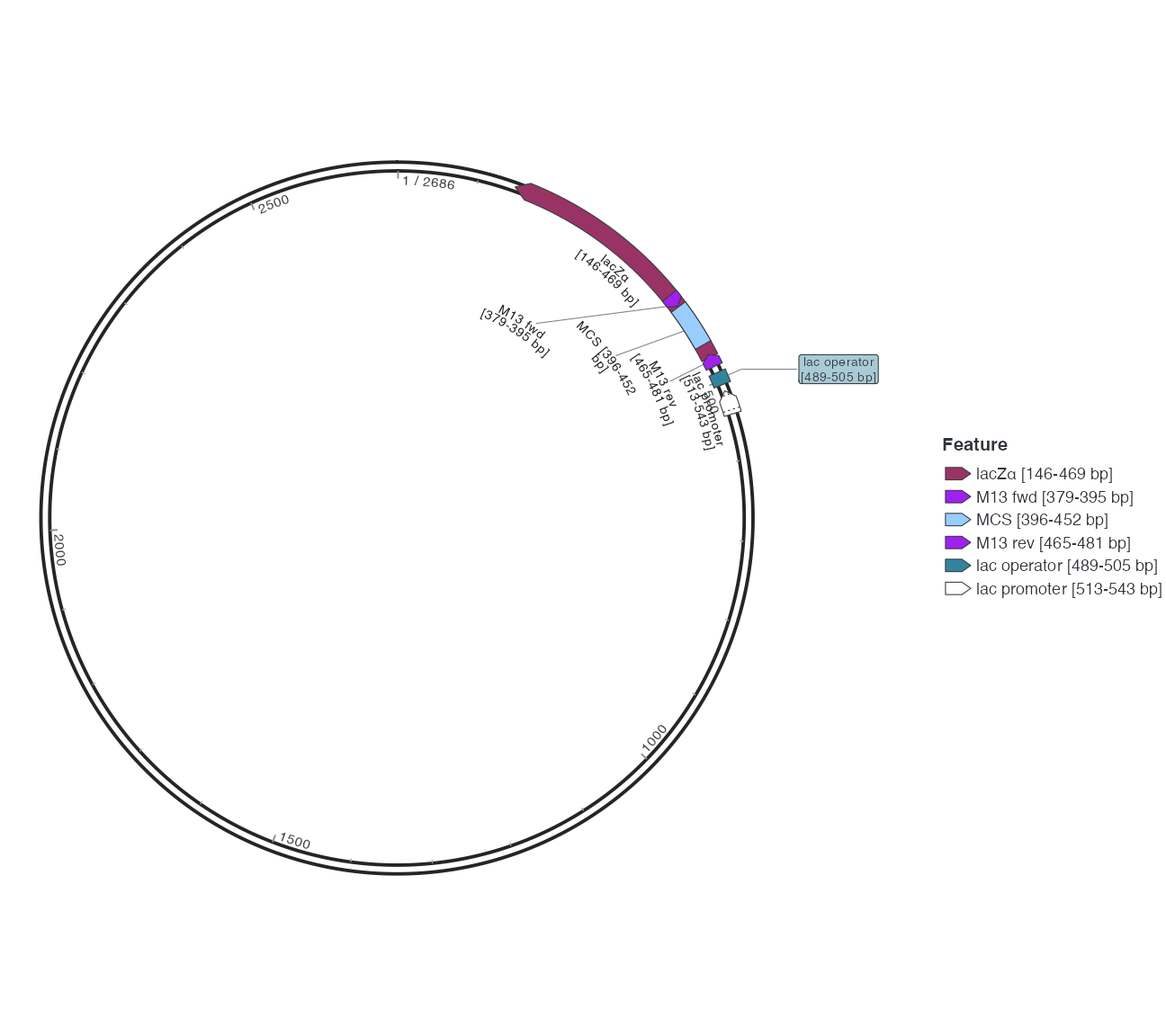
From the 14-character wrap example, change only label_fit to ellipsis. Then return to default feature placement and disable only external fallback. Omission/hiding changes display, not source names or features.
R · Example code
p_compareellipsisfit <- finish_feature_base +
  geom_feature_label_repel(data = finish_labels, label_layout = "feature", label_wrap = 14, label_fit = "ellipsis")
view_ggchord(p_compareellipsisfit, width = 9, height = 8, units = "in")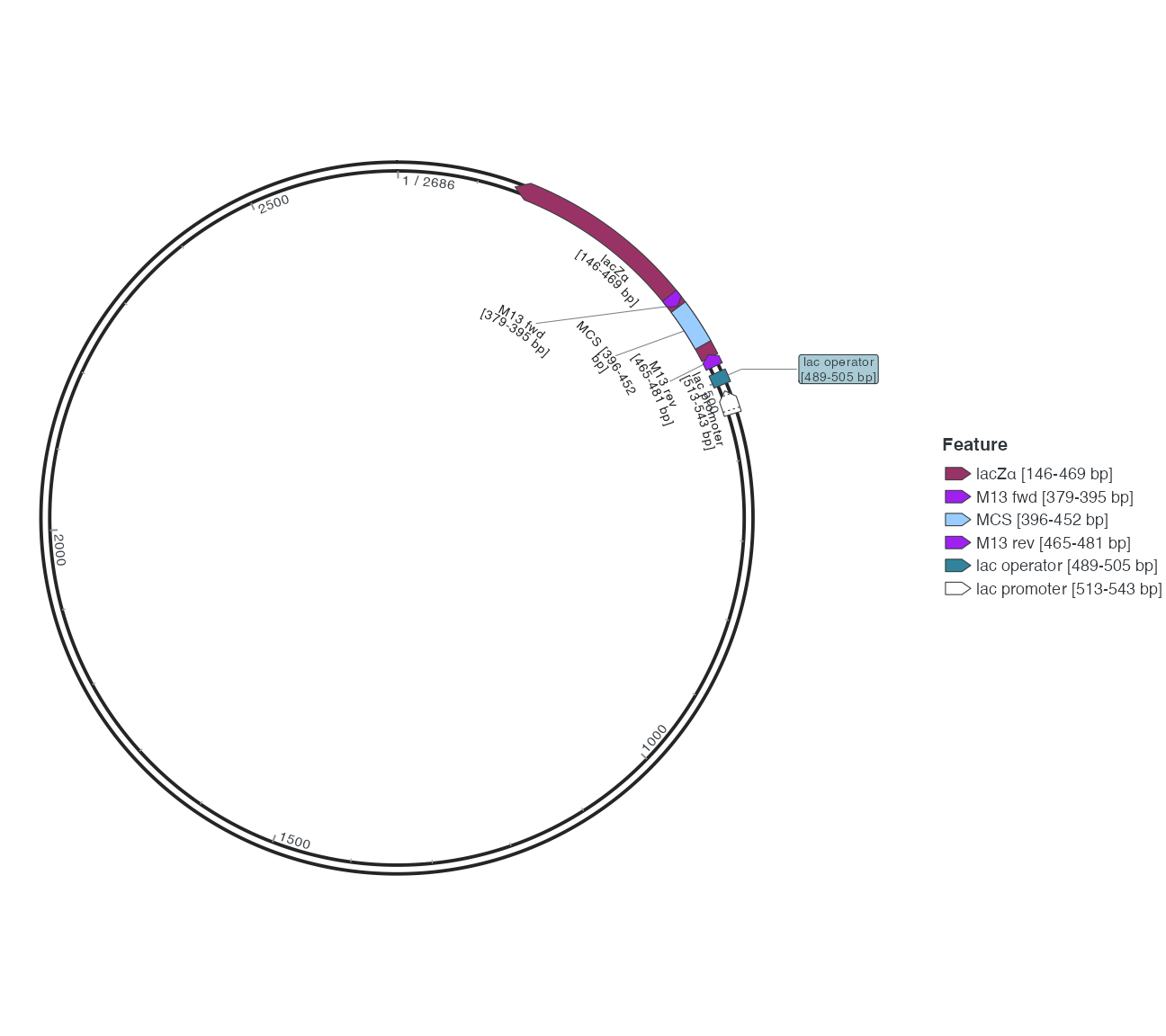
R · Example code
p_compareexternaloff <- finish_feature_base +
  geom_feature_label_repel(data = finish_labels, label_layout = "feature", external = FALSE)
view_ggchord(p_compareexternaloff, width = 9, height = 8, units = "in")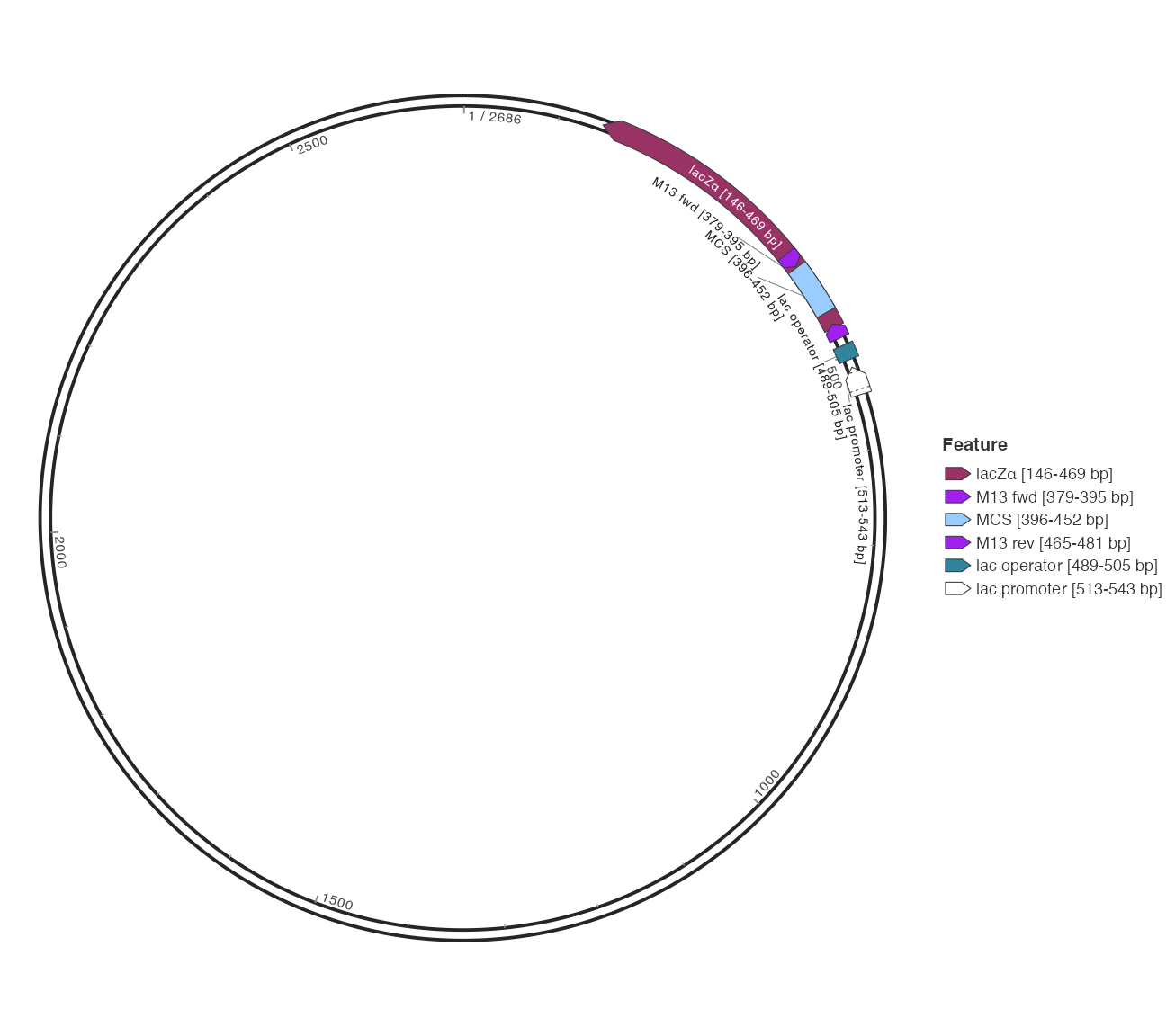
6 Important automatic-label defaults
| Parameter | Default | Choices and limits |
|---|---|---|
| label_layout | feature | feature/radial/auto/callout; gene layouts differ |
| label_fit | wrap | wrap/none/ellipsis/auto/shrink; omission does not edit source text |
| label_max_lines | 2 | Inspect together with wrapping |
| label_min_size | 1.5 | Lower bound for shrinking |
| label_side | outside | outside/inside/auto |
| external | TRUE | FALSE prevents exterior fallback; linear mode rejects this constraint |
| max_overlaps | Inf | Does not guarantee zero collisions |
| label_segment_overlap | fade | Appearance of conflicting leaders |
| label_segment_overlap_alpha | 0.18 | Faded leader opacity |
| label_segment_linetype | auto | Automatic leader line type |
| label_segment_layer | below | below/above; text retains the label layer position |
| label_repeat | individual | bracket shares a counted label and arc bracket for consecutive matching short features |
| label_segment_colour | auto | Grey for leaders from inside features to exterior labels; accepts an explicit colour |
Read exported label placement and fit diagnostics before changing dimensions, label subsets, layout or wrapping. Keep original full names rather than retaining only truncated figure text.
Feature layout uses direct leaders, allowing them to cross features without multi-bend detours. Filled features cover leaders drawn below; transparent fills keep their transparency. Internal single-line names follow circular tracks. Wrapped sources keep one annotation and a continuous glyph on closed circles; a visible coordinate gap retains separate display pieces. A shifted adjacent name receives a short attachment. To restore the label layer’s drawing order:
R · Example code
geom_feature_label_repel(label_segment_layer = "above")7 Use your annotations
Change only label_max_lines to 3 and explain any improvement. At fixed dimensions, compare exterior fallback on/off. Fixed and automatic layers have different controls. Supply explicit label text or anno, checking IDs, intervals, strands and unique feature_id values. Continue with primer text and the dense pETDuet-1 case.
Neighbouring names compare radial travel with angular displacement; an empty inner track can preserve association better than squeezing names onto the nearest track. Dotted arrow boundaries can come from source segments or cleavage markers. Inspect segments, segment_name and cleavage_arrows; a boundary is not necessarily an independent feature. Top-level feature labels do not automatically add text for every named subsegment.
Dense inner annotations retain source-angle order. Candidate slots check text and leaders together. Leaders may cross features, but do not acquire multi-bend detours around text. With external placement enabled, compact repeated annotations in outer bands can use the exterior queue as a group; inner bands first try inner slots before exterior fallback. This bounded search does not guarantee every density fits inside; inspect visibility, convergence and conflict diagnostics at export dimensions.
8 Shared labels for consecutive repeats
label_repeat = "bracket" is an explicit display style; the default "individual" retains separate labels. Consecutive non-overlapping short features in one band can share a counted arc label and range bracket when name, type, direction and resolved fill agree. An intervening annotation breaks the run. Arrows, coordinates and biological rows remain independent. Visibility and fit exports report represented_by_shared_label for the shared sources. This applies to the feature layout on a single closed circular sequence; other coordinates retain individual labels. The curved range marker is distinct from the label’s simple leader.
R · Example code
features <- find_common_features(plasmid_example_pTRE_Tight_BI)
feature_position <- position_feature_stack(base_position = position_plasmid())
ggchord(plasmid_example_pTRE_Tight_BI[c("accver", "length")], feature_data = features) +
  geom_seq(seq_style = "double") +
  geom_feature_plasmid(position = feature_position) +
  geom_feature_label_repel(
    position = feature_position,
    label_repeat = "bracket",
    label_fit = "shrink",
    label_min_size = 2.5
  ) +
  coord_circular() +
  theme_ggchord_plasmid()
Automatic plasmid axis text hugs the backbone; explicit offsets keep their placement. Circular feature bands reserve gutters for names that cannot fit inside their arrows, and text tracks use measured heights and physical gaps. Explicit spacing remains a minimum. This bounded search does not guarantee conflict-free placement at every density; inspect actual-size export diagnostics.
Default grey dashed lines connect a feature inside the sequence circle to an exterior feature label. Internal neighbouring labels and restriction leaders retain their established style. A centred, isolated name close to its feature omits an unnecessary short attachment; displaced or competing names retain association leaders.
R · Example code
geom_feature_label_repel(
  label_segment_colour = "grey50",
  label_segment_linetype = "dashed"
)
Explicit parameters affect all feature leaders in the layer. A custom ggchord.feature.label.segment theme also overrides the automatic palette. Segment boundaries clip to the actual arrow contour without editing source segments. Wrapped internal labels use a separate concentric baseline for each line. Automatic coordinate text retains a small physical backbone gap; explicit offsets keep their contract.
Automatic coordinate text searches only a bounded channel near the backbone. With axis.text.check.overlap enabled, an unavailable nearby slot may hide ordinary intermediate text while retaining its tick. Origin/end and combined seam strings take priority and remain visible. Diagnostics report hidden_near_backbone and keep the original value in .axis_label. Hidden text uses an empty display string so missing-value markers cannot appear as literal “NA”.
Unresolved endpoint clearance reports endpoint_unresolved while retaining its text. External feature leaders also honour label_segment_overlap: fade reduces opacity under text, clip removes covered portions, and show keeps the full route. Clipping splits existing legs without adding bends.