章节与参考
模块一 · 多序列关系 · 第 4 节,共 16 节
1.3 坐标与显示规则
下载 R 脚本包含本页准备与全部步骤。文件示例须先下载输入;预览和保存调用保留。
准备数据与配置(展开)
R · 示例代码
p_chord_backbone <- ggchord(seq_data = seq_data_example) +
  geom_seq() +
  geom_seq_label() +
  coord_chord()
1 方向:让坐标从另一端开始
R · 示例代码
chord_orientation <- c("MT108731.1" = 1, "MT118296.1" = -1,
                       "OQ646790.1" = 1, "OR222515.1" = 1)
p_chord_orientation <- ggchord(seq_data = seq_data_example) +
  geom_seq(seq_orientation = chord_orientation) +
  geom_seq_label() +
  coord_chord()
view_ggchord(p_chord_orientation, width = 7, height = 7, units = "in")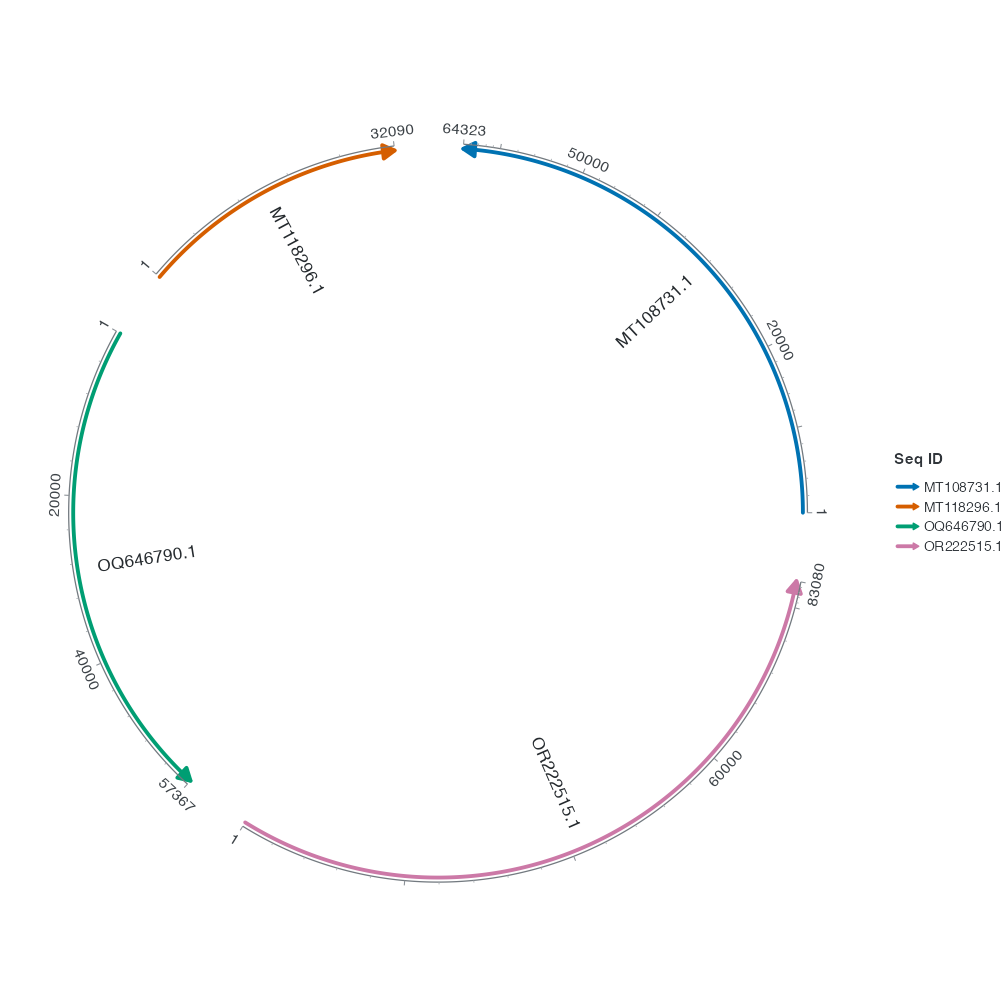
seq_orientation = -1 反转该序列的显示方向。对照默认图,这条骨架的 0 刻度和箭头端互换。输入坐标和基因的生物学链仍来自数据表。三个向量都按序列 ID 命名,修改 seq_order 重排时仍能找到对应序列。
2 顺序:指定骨架的排列
R · 示例代码
chord_order <- c("MT108731.1", "OQ646790.1", "MT118296.1", "OR222515.1")
p_chord_order <- ggchord(seq_data = seq_data_example) +
  geom_seq(seq_order = chord_order) +
  geom_seq_label() +
  coord_chord()
view_ggchord(p_chord_order, width = 7, height = 7, units = "in")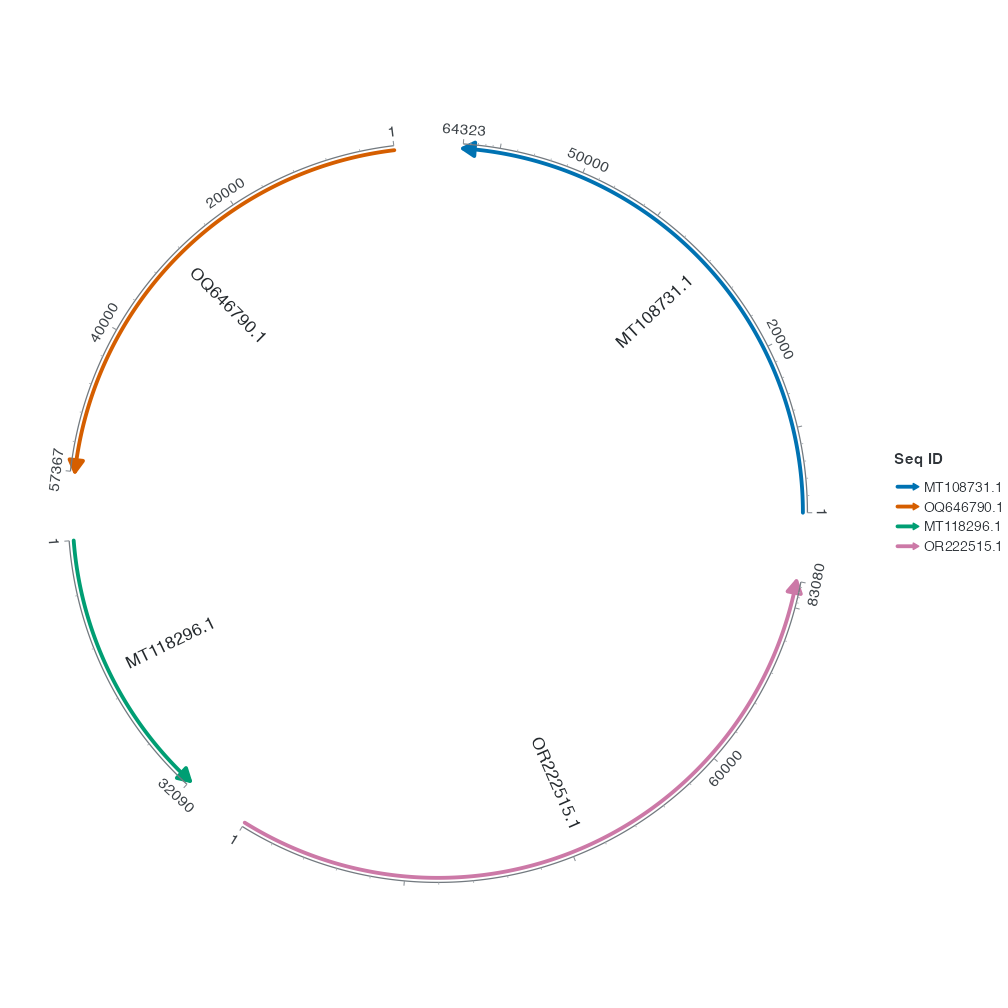
seq_order 接收序列 ID 的排列。这里把 OQ646790.1 提到 MT118296.1 前面。重排后,连接表仍按原来的 ID 匹配。
接下来改变连接带的路径与端点留白。